

A 12V USB charger is a small upgrade, but it quickly becomes part of daily use in a car, truck, Jeep, boat, or RV. Phones need charging. A GPS, dash camera, tablet, action camera, or portable light may need power at the same time. The right charger should fit the panel, support the devices that actually travel in the vehicle, and suit the way the electrical system is used.
The best option is not always the charger with the highest number on the label. Start with the devices, mounting location, port type, and the available 12V or 24V power source.

A panel-mounted 12V USB charger keeps phones and navigation devices powered from a dedicated vehicle charging point.
Start with the devices that need charging
A basic dual USB outlet can be enough for phones, Bluetooth accessories, or other low-power devices. A faster USB-C or QC charging outlet makes more sense when the setup regularly supports newer phones, tablets, or devices that benefit from higher charging output.
Before choosing a charger, make a short list:
- How many devices are normally charged at once?
- Are they mostly USB-A, USB-C, or a mix of both?
- Is fast charging important, or is overnight or parked charging enough?
- Will the charger be installed in a dashboard, switch panel, console, cabin wall, or exposed marine location?
- Does the vehicle use a 12V system, a 24V system, or both?
A charger with several ports is useful only when the available power and installation location suit the full setup. A three-port outlet may be more useful for a family RV or work truck than for a compact motorcycle dash. On the other hand, a single low-output port may become frustrating when a phone and navigation device need charging at the same time.
Choose a mounting style that belongs in the build
Most vehicle USB chargers fall into three practical formats.
Round panel-mount USB outlets fit dashboards, consoles, boat panels, and custom enclosures. They create a clean finished look when there is enough depth behind the panel for wiring and the body of the charger.
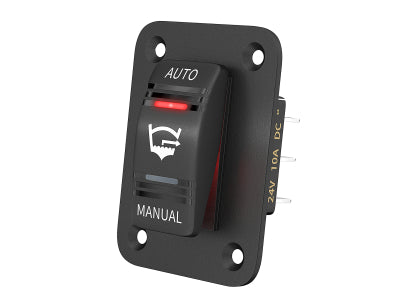
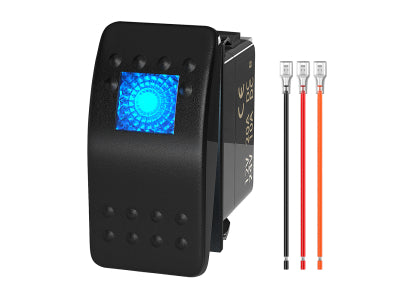
Rocker-switch-style USB chargers are useful when replacing an existing rocker opening or adding charging to a switch panel. This format can keep the dash layout more consistent than mixing several round outlets and rectangular switches.
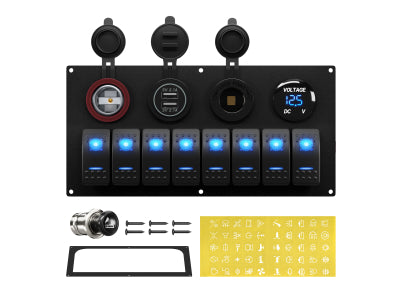
Pre-configured switch panels with USB charging make sense when the project already needs accessory controls. A combined panel can place switches, charging ports, and sometimes a voltage display in one location, reducing the need to cut several separate openings.

Check the cutout dimensions and the clearance behind the panel before ordering. A charger may fit the visible opening but still need more wiring depth than a shallow dashboard or console allows.

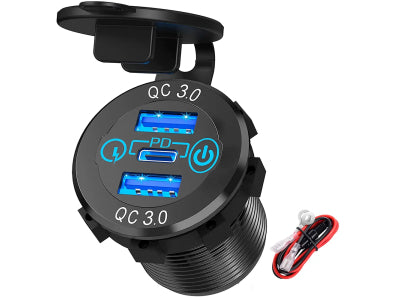
USB-C PD and USB-A QC ports can support different devices at the same time, while the built-in display provides a quick voltage check.
Charging speed is more than a port label
USB-A, QC, USB-C, and PD labels describe different charging capabilities, but they do not all serve the same devices in the same way. The useful question is whether the port type and rated output match the equipment that will be connected.
A standard dual USB outlet is often enough for basic charging. A USB-C PD outlet may be a better fit for newer devices that use USB-C and benefit from higher charging capability. A mixed-port charger can be practical when older USB-A cables and newer USB-C cables are both used in the same vehicle.

Avoid choosing by port count alone. A well-matched two-port charger can be more useful than a larger unit when only two devices are normally connected.
Decide when the charger should have power
A USB charger can be connected to a circuit that is always live, or to an ignition-switched or accessory-switched circuit. Each approach changes how the charger is used.
An always-live outlet can be useful for charging while parked. It also means that any connected device, indicator light, or standby electronics may continue drawing power. This matters more for a vehicle that sits for long periods, a seasonal boat, or an RV stored between trips.
An accessory-switched outlet turns on with the vehicle or with a dedicated switch. This can reduce unnecessary standby use and makes it easier to control the charging point as part of the dashboard layout.

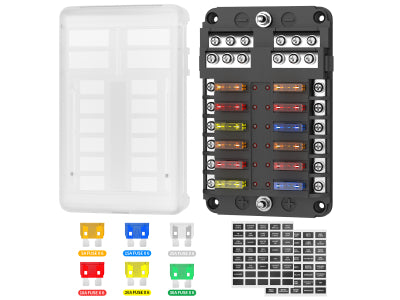
Whichever arrangement is used, the charger should be connected through appropriate circuit protection. A USB outlet is still an electrical accessory, not a direct substitute for proper protection. For the protection side of the project, see the 12V fuse box buying guide.
Think about daily access, not only installation
A charger mounted behind a seat, inside a crowded console, or close to a gear shifter may be technically installed but inconvenient in real use. Check cable direction and plug clearance before fixing the final position.
For a truck or Jeep, an accessible dash or center-console position may work best. For a boat, a covered or better-protected location may be more practical. In an RV, charging points near seating, sleeping areas, or a work surface can be more useful than placing every outlet near the driver’s seat.
If the USB charger is part of a larger control panel, leave enough room around the ports for thicker USB-C plugs and angled cables. A neat panel becomes less useful when cables block switch labels or interfere with other controls.
Quick match: which charger setup fits the project?
- Choose a basic dual USB outlet when the goal is simple phone or accessory charging in a compact location.
- Choose a higher-output USB-A or QC charger with a voltmeter and switch when the setup benefits from local control and a quick system-voltage reference.
- Choose a mixed USB-C PD and USB-A charger when the vehicle carries newer USB-C devices as well as older USB-A cables.
- Choose a switch panel with integrated USB charging when the project also needs accessory switches, lighting controls, or a more organized dashboard layout.
Before ordering a 12V USB charger
Confirm the system voltage, port type, charging output, mounting opening, installation depth, and the number of devices likely to charge at once. Also check whether the charger will be mounted indoors, in a protected cabin, or in an area exposed to moisture, dust, and vibration.
Related DAIER USB charger options
- 3.1A Illuminated Dual USB Charger Outlet with 10A Fuse Wire - Compact two-port option for a dedicated charging location.
- Universal Rocker Switch Style 3.1A Dual USB Charger with LED Light - For a rectangular rocker-switch opening.
- Aluminum 36W 12V Dual QC3.0 Charger Socket with Switch and Voltmeter - For projects that benefit from a local switch and voltage display.
- 3 Ports 12V USB Car Charger with 30W PD3.0 USB-C and Dual 18W QC3.0 Ports - Mixed USB-C and USB-A charging layout for multiple devices.
FAQ
Can a 12V USB charger be used in a 24V vehicle?
Only when the specific charger is rated for the vehicle’s input-voltage range. Check the live product specification before installation.
Is USB-C always better than USB-A?
Not necessarily. USB-C is useful for many newer devices, especially when the charger supports the required PD output. USB-A can still be the right choice for existing cables and lower-power accessories.
Should a USB charger be wired directly to the battery?
A direct battery connection can keep the charger active while parked, but it should still use suitable circuit protection. An accessory-switched circuit may be a better fit when avoiding standby power draw is the priority.


